Tech Insights with Dynamic Intelligence
Payment Processing 101 for Small Businesses: Fees, Security, and What Your Provider Isn't Telling You
Payment Processing 101 for Small Businesses: Fees, Security, and What Your Provider Isn't Telling You

Introduction
Accepting payments is one of the most important parts of running a small business, but it is also one of the least understood. Many owners know they need a way to take cards, digital wallets, and online payments, yet few understand how the process works, what the fees really mean, or how to judge whether their provider is giving them a fair deal.
That lack of clarity can get expensive. Between processing fees, monthly charges, hardware costs, chargebacks, and security requirements, the true cost of accepting payments is often higher than businesses expect. This guide breaks down the basics so you can make smarter decisions, protect your revenue, and ask better questions before signing a contract.
Introduction
Accepting payments is one of the most important parts of running a small business, but it is also one of the least understood. Many owners know they need a way to take cards, digital wallets, and online payments, yet few understand how the process works, what the fees really mean, or how to judge whether their provider is giving them a fair deal.
That lack of clarity can get expensive. Between processing fees, monthly charges, hardware costs, chargebacks, and security requirements, the true cost of accepting payments is often higher than businesses expect. This guide breaks down the basics so you can make smarter decisions, protect your revenue, and ask better questions before signing a contract.
What Payment Processing Actually Does
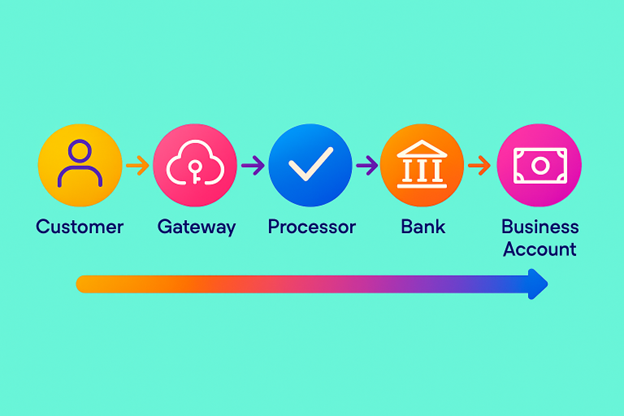
Payment processing is the system that moves money from your customer's card or bank account to your business. It sounds simple, but several companies may be involved in the transaction, including the payment gateway, the processor, the card network, the issuing bank, and your acquiring bank.
In a card-present sale, the customer taps, swipes, or inserts a card. In an online sale, they enter payment details at checkout. Either way, the payment must be authorized, routed, verified, settled, and deposited. That entire chain happens in seconds, but each step may create cost and risk.
For small business owners, the key point is this: you are not just paying for "card acceptance." You are paying for infrastructure, security, support, and access to the payment ecosystem.
What Payment Processing Actually Does
Payment processing is the system that moves money from your customer's card or bank account to your business. It sounds simple, but several companies may be involved in the transaction, including the payment gateway, the processor, the card network, the issuing bank, and your acquiring bank.
In a card-present sale, the customer taps, swipes, or inserts a card. In an online sale, they enter payment details at checkout. Either way, the payment must be authorized, routed, verified, settled, and deposited. That entire chain happens in seconds, but each step may create cost and risk.
For small business owners, the key point is this: you are not just paying for "card acceptance." You are paying for infrastructure, security, support, and access to the payment ecosystem.
The Main Fee Types to Understand
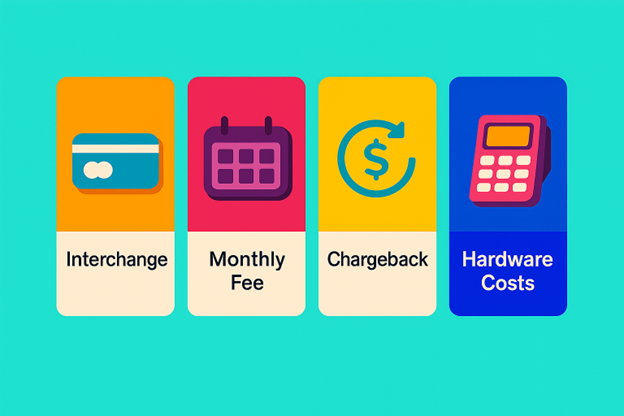
Many business owners focus only on the advertised transaction rate, but that number rarely tells the full story. Processing costs usually include a mix of per-transaction fees, monthly charges, compliance costs, and occasional penalties.
Here are the most common fee types to watch:
- Interchange Fees: These are set by the card networks and paid to the cardholder's issuing bank. They are usually non-negotiable.
- Processor Markup: This is the provider's profit margin and may be negotiable depending on your volume and contract.
- Monthly Account Fees: These may include statement fees, gateway fees, minimum usage fees, or platform fees.
- Batch or Settlement Fees: Some providers charge a fee each time your daily transactions are settled.
- PCI Compliance Fees: You may be charged for security assessments, monitoring, or non-compliance.
- Chargeback Fees: If a customer disputes a charge, you may pay a fee even if you win the dispute.
- Equipment or Rental Fees: Card readers, terminals, or POS hardware may be purchased or leased.
The problem is not that these fees exist. The problem is when they are buried in the fine print, bundled into vague categories, or presented in a way that makes direct comparison difficult.
The Main Fee Types to Understand
Many business owners focus only on the advertised transaction rate, but that number rarely tells the full story. Processing costs usually include a mix of per-transaction fees, monthly charges, compliance costs, and occasional penalties.
Here are the most common fee types to watch:
- Interchange Fees: These are set by the card networks and paid to the cardholder's issuing bank. They are usually non-negotiable.
- Processor Markup: This is the provider's profit margin and may be negotiable depending on your volume and contract.
- Monthly Account Fees: These may include statement fees, gateway fees, minimum usage fees, or platform fees.
- Batch or Settlement Fees: Some providers charge a fee each time your daily transactions are settled.
- PCI Compliance Fees: You may be charged for security assessments, monitoring, or non-compliance.
- Chargeback Fees: If a customer disputes a charge, you may pay a fee even if you win the dispute.
- Equipment or Rental Fees: Card readers, terminals, or POS hardware may be purchased or leased.
The problem is not that these fees exist. The problem is when they are buried in the fine print, bundled into vague categories, or presented in a way that makes direct comparison difficult.

Hidden Costs That Catch Businesses Off Guard
Some payment providers market low rates while making up the difference through extra charges. That is why a quote that looks competitive on paper can become expensive in practice. The true cost often appears only after your business starts processing real volume.
A few common surprises include minimum monthly fees, PCI non-compliance penalties, address verification charges, statement fees, and high termination fees. Some providers also use tiered pricing structures that make it hard to see which transactions are being charged at the best rate.
The safest approach is to ask for a full fee schedule before you commit. If a provider cannot explain each charge clearly, or if the pricing structure feels intentionally confusing, that is usually a sign to keep looking.
Hidden Costs That Catch Businesses Off Guard
Some payment providers market low rates while making up the difference through extra charges. That is why a quote that looks competitive on paper can become expensive in practice. The true cost often appears only after your business starts processing real volume.
A few common surprises include minimum monthly fees, PCI non-compliance penalties, address verification charges, statement fees, and high termination fees. Some providers also use tiered pricing structures that make it hard to see which transactions are being charged at the best rate.
The safest approach is to ask for a full fee schedule before you commit. If a provider cannot explain each charge clearly, or if the pricing structure feels intentionally confusing, that is usually a sign to keep looking.
A Simple Example of Real-World Costs
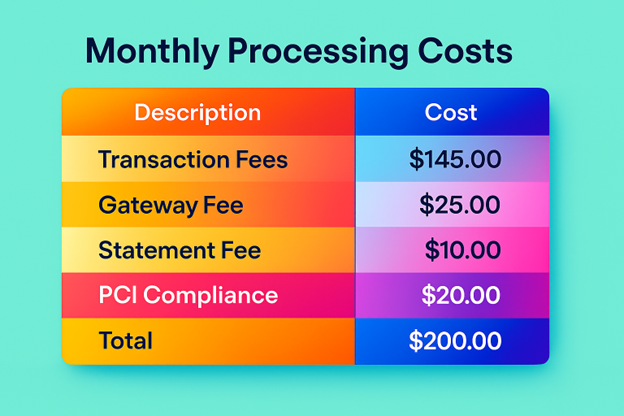
Imagine a business processes 100 transactions per month, averaging $50 each. At first glance, a 2.9% + $0.30 rate might seem straightforward. But by the time you add gateway fees, statement fees, chargeback exposure, and possible PCI costs, the monthly total can be meaningfully higher than expected.
That matters because even small differences scale fast. A half-percent difference in processing fees can become a serious expense over a year, especially for businesses with growing sales volume. When you compare providers, focus on the total monthly cost, not just the advertised percentage.
A smart way to evaluate pricing is to build a side-by-side estimate using your real transaction mix. Include card-present sales, online sales, average ticket size, and any monthly minimums. That gives you a much better picture than a sales quote alone.
A Simple Example of Real-World Costs
Imagine a business processes 100 transactions per month, averaging $50 each. At first glance, a 2.9% + $0.30 rate might seem straightforward. But by the time you add gateway fees, statement fees, chargeback exposure, and possible PCI costs, the monthly total can be meaningfully higher than expected.
That matters because even small differences scale fast. A half-percent difference in processing fees can become a serious expense over a year, especially for businesses with growing sales volume. When you compare providers, focus on the total monthly cost, not just the advertised percentage.
A smart way to evaluate pricing is to build a side-by-side estimate using your real transaction mix. Include card-present sales, online sales, average ticket size, and any monthly minimums. That gives you a much better picture than a sales quote alone.
Payment Security Is Not Optional
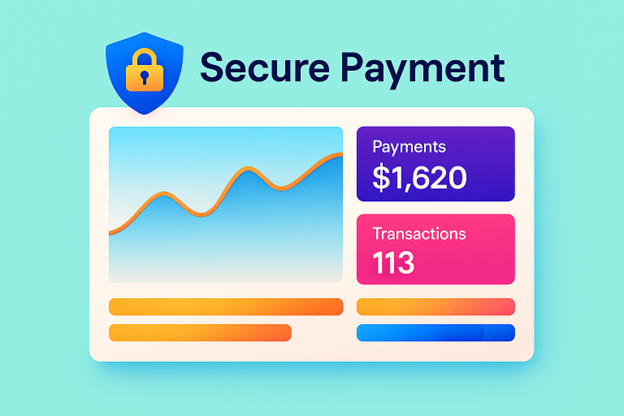
Security is no longer something only large businesses need to think about. Small businesses are frequent targets because attackers assume they have weaker controls, fewer resources, and less oversight. Even if your provider handles most of the technical side, you still have responsibilities.
At minimum, you should know whether your payment setup is PCI Compliant, whether card data is encrypted and tokenized, and who is responsible for maintaining those protections. You should also control who can access payment systems, use strong passwords, and enable multi-factor authentication wherever possible.
Good payment security protects more than customer data. It protects your business from fraud losses, chargebacks, compliance problems, and reputational damages.
Payment Security Is Not Optional
Security is no longer something only large businesses need to think about. Small businesses are frequent targets because attackers assume they have weaker controls, fewer resources, and less oversight. Even if your provider handles most of the technical side, you still have responsibilities.
At minimum, you should know whether your payment setup is PCI Compliant, whether card data is encrypted and tokenized, and who is responsible for maintaining those protections. You should also control who can access payment systems, use strong passwords, and enable multi-factor authentication wherever possible.
Good payment security protects more than customer data. It protects your business from fraud losses, chargebacks, compliance problems, and reputational damages.
What PCI Compliance Means for You
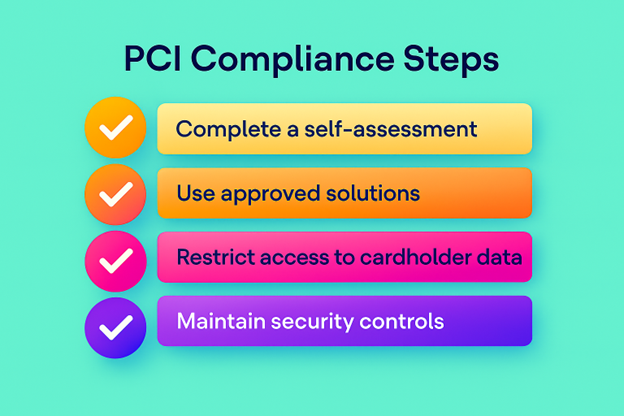
PCI-DSS, or the Payment Card Industry Data Security Standard, is a security framework designed to protect cardholder data. Most small businesses do not need to become security experts, but they need to understand whether their setup falls within PCI scope and what steps are required to stay compliant.
In practical terms, PCI Compliance may involve completing a self assessment questionnaire, using approved hardware or software, restricting access to payment data, and keeping systems updated properly. If your provider says they are "PCI Compliant," that does not always mean your business has no responsibilities. In many cases, the provider covers part of the requirement while you must still complete your own obligations.
The right question is not simply "Are you PCI Compliant?" Rather it is "What parts of compliance do you handle, and what parts remain my responsibility?"
What PCI Compliance Means for You
PCI-DSS, or the Payment Card Industry Data Security Standard, is a security framework designed to protect cardholder data. Most small businesses do not need to become security experts, but they need to understand whether their setup falls within PCI scope and what steps are required to stay compliant.
In practical terms, PCI Compliance may involve completing a self assessment questionnaire, using approved hardware or software, restricting access to payment data, and keeping systems updated properly. If your provider says they are "PCI Compliant," that does not always mean your business has no responsibilities. In many cases, the provider covers part of the requirement while you must still complete your own obligations.
The right question is not simply "Are you PCI Compliant?" Rather it is "What parts of compliance do you handle, and what parts remain my responsibility?"
Security Practices Every Small Business Should Use
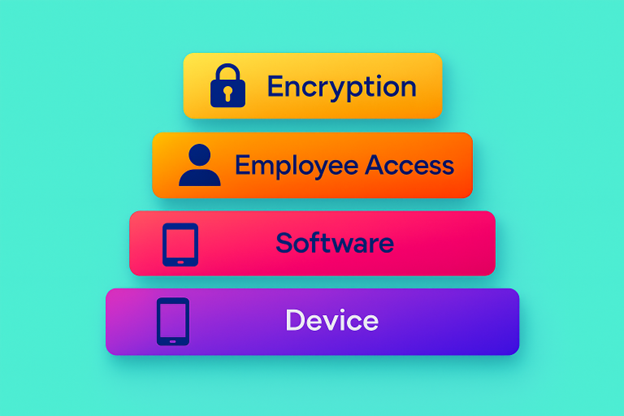
A strong payment setup does not have to be complicated, but it does need to be intentional. The best security approach combines technology, process, and staff awareness.
Here are the most important practices:
- Use encrypted payment systems and tokenization where possible.
- Limit access to payment tools and customer data.
- Require strong passwords and multi-factor authentication.
- Keep devices, POS systems, and software updated.
- Train staff to spot fraud, phishing, and suspicious refund requests.
- Review payment logs and chargeback activity regularly.
- Separate payment systems from general office devices when possible.
A single weak link can create a serious problem. For example, if one employee uses a shared password on an outdated tablet, that may expose your payment environment even if your processor is secure. Security works best when every layer is reinforced.
Security Practices Every Small Business Should Use
A strong payment setup does not have to be complicated, but it does need to be intentional. The best security approach combines technology, process, and staff awareness.
Here are the most important practices:
- Use encrypted payment systems and tokenization where possible.
- Limit access to payment tools and customer data.
- Require strong passwords and multi-factor authentication.
- Keep devices, POS systems, and software updated.
- Train staff to spot fraud, phishing, and suspicious refund requests.
- Review payment logs and chargeback activity regularly.
- Separate payment systems from general office devices when possible.
A single weak link can create a serious problem. For example, if one employee uses a shared password on an outdated tablet, that may expose your payment environment even if your processor is secure. Security works best when every layer is reinforced.
What Your Provider May Not Be Telling You
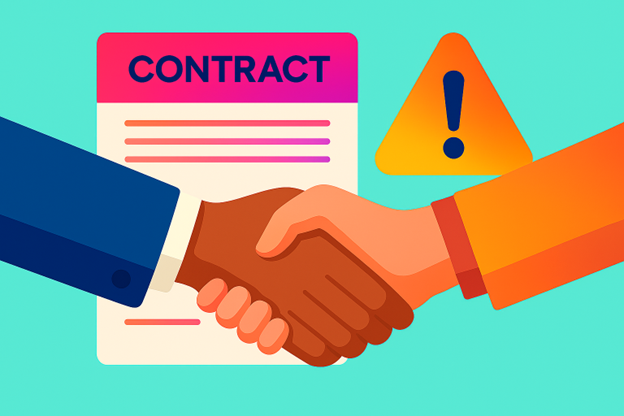
Payment providers are not always dishonest, but they are not always transparent either. Sales materials often emphasize speed, convenience, and low headline rates while leaving out the details that matter most.
Some things that are easy to miss include contract length, auto-renewal terms, early termination fees, hardware lease obligations, and rate increases after an introductory period. You should also ask whether the provider uses flat-rate, interchange-plus, or tiered pricing, because those models behave very differently over time.
Another issue is support quality. A provider may look affordable until you need help with a chargeback, a failed terminal, or a settlement delay. At that point, responsive support can be worth more than a slightly lower rate.
What Your Provider May Not Be Telling You
Payment providers are not always dishonest, but they are not always transparent either. Sales materials often emphasize speed, convenience, and low headline rates while leaving out the details that matter most.
Some things that are easy to miss include contract length, auto-renewal terms, early termination fees, hardware lease obligations, and rate increases after an introductory period. You should also ask whether the provider uses flat-rate, interchange-plus, or tiered pricing, because those models behave very differently over time.
Another issue is support quality. A provider may look affordable until you need help with a chargeback, a failed terminal, or a settlement delay. At that point, responsive support can be worth more than a slightly lower rate.
Questions to Ask Before You Sign
Before you choose a payment processor, ask these questions directly:
- What pricing models do you use?
- What fees are included, and which are extra?
- Is there a monthly minimum?
- Are there setup, statement, gateway, or PCI fees?
- Do you charge for chargebacks or refunds?
- Is there a contract, auto-renewal, or early termination fees?
- What security tools are included?
- Who is responsible for PCI compliance?
- How fast are deposits made?
- What support options are available if something breaks?
If the answers are vague, incomplete, or hard to get in writing, that is usually a warning sign. A good provider should be able to explain its pricing models and security responsibilities in plain language.
Questions to Ask Before You Sign
Before you choose a payment processor, ask these questions directly:
- What pricing models do you use?
- What fees are included, and which are extra?
- Is there a monthly minimum?
- Are there setup, statement, gateway, or PCI fees?
- Do you charge for chargebacks or refunds?
- Is there a contract, auto-renewal, or early termination fees?
- What security tools are included?
- Who is responsible for PCI compliance?
- How fast are deposits made?
- What support options are available if something breaks?
If the answers are vague, incomplete, or hard to get in writing, that is usually a warning sign. A good provider should be able to explain its pricing models and security responsibilities in plain language.
How to Compare Providers the Smart Way
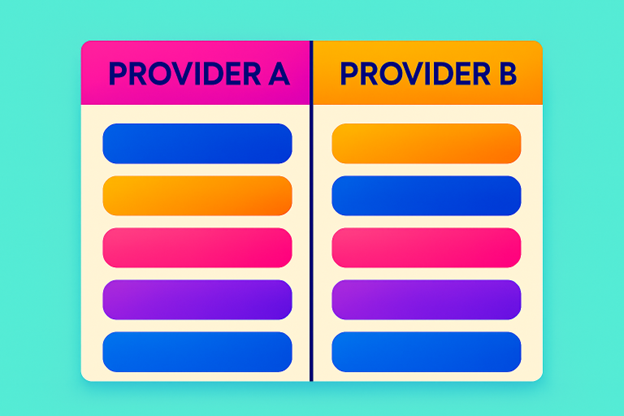
When comparing payment processors, resist the temptation to choose based solely on the lowest advertised rate. Instead, compare total cost, service quality, contract flexibility, and security support.
A helpful comparison framework looks something like this:
| Factor | What to Look For |
|---|---|
| Pricing Model | Interchange-plus, flat-rate, or tiered poricing |
| Total monthly cost | All recurring fees plus transaction costs |
| Security support | PCI help, encryption, tokenization, fraud tools |
| Contract terms | Term length, termination fees, auto-renewal |
| Deposit speed | How quickly funds reach your account |
| Support quality | Response time, live support, dispute help |
| Hardware | Purchase vs. lease, compatibility, warranty |
The best provider is not always the cheapest. It is the one that gives you predictable pricing, strong security, and support that actually helps when something goes wrong.
How to Compare Providers the Smart Way
When comparing payment processors, resist the temptation to choose based solely on the lowest advertised rate. Instead, compare total cost, service quality, contract flexibility, and security support.
A helpful comparison framework looks something like this:
| Factor | What to Look For |
|---|---|
| Pricing Model | Interchange-plus, flat-rate, or tiered poricing |
| Total monthly cost | All recurring fees plus transaction costs |
| Security support | PCI help, encryption, tokenization, fraud tools |
| Contract terms | Term length, termination fees, auto-renewal |
| Deposit speed | How quickly funds reach your account |
| Support quality | Response time, live support, dispute help |
| Hardware | Purchase vs. lease, compatibility, warranty |
The best provider is not always the cheapest. It is the one that gives you predictable pricing, strong security, and support that actually helps when something goes wrong.

A Practical Checklist for Today
If you already accept payments, you do not need to overhaul everything at once. Start with a quick review of your current setup and identify the biggest risks and hidden costs.
Use this checklist:
- Review your last three months of processing statements.
- Identify every recurring fee on the account.
- Confirm your PCI responsibilities.
- Check whether card data is encrypted and tokenized.
- Turn on multi-factor authentication for all payment-related accounts.
- Audit who has access to payment dashboards and terminals.
- Ask your provider for a fee breakdown and contract summary.
- Compare your current total cost against at least one alternative.
Small improvements here can save you money and reduce risk almost immediately. You may not need a new provider, but you do need full visibility into what you are paying for and what protections are in place.
A Practical Checklist for Today
If you already accept payments, you do not need to overhaul everything at once. Start with a quick review of your current setup and identify the biggest risks and hidden costs.
Use this checklist:
- Review your last three months of processing statements.
- Identify every recurring fee on the account.
- Confirm your PCI responsibilities.
- Check whether card data is encrypted and tokenized.
- Turn on multi-factor authentication for all payment-related accounts.
- Audit who has access to payment dashboards and terminals.
- Ask your provider for a fee breakdown and contract summary.
- Compare your current total cost against at least one alternative.
Small improvements here can save you money and reduce risk almost immediately. You may not need a new provider, but you do need full visibility into what you are paying for and what protections are in place.

Final Thoughts
Payment processing is one of those business functions that feels invisible until something goes wrong. Once you understand the fee structure, the security requirements, and the fine print, you are in a much better position to protect margins and avoid surprises.
For small businesses, the goal is not to just accept payments. The goal is to do it securely, efficiently, and transparently. When you know what your provider is actually charging, what they are responsible for, and what still falls on your business, you can make a much stronger decision.
To Meet With A Technology Expert Click the Button Below
Final Thoughts
Payment processing is one of those business functions that feels invisible until something goes wrong. Once you understand the fee structure, the security requirements, and the fine print, you are in a much better position to protect margins and avoid surprises.
For small businesses, the goal is not to just accept payments. The goal is to do it securely, efficiently, and transparently. When you know what your provider is actually charging, what they are responsible for, and what still falls on your business, you can make a much stronger decision.
To Meet With A Technology Expert Click the Button Below